The Epson Document Capture Suite is a range of software solutions for capturing, digitising, and routing electronic documents at the click of a button.


Epson Document Capture Suite
Capture, digitise, process, and archive your business information
Whether you’re on the go, running a small business, or responsible for a large corporate organisation with hundreds of employees, Epson software helps to build a better business environment.
Advanced Workflow functions enable administrators to easily create scan profiles with document capture, processing, and delivery to predefined destinations, including Cloud storage services.
Epson’s automated capture enables the creation of searchable PDFs, job separation with barcodes, folder and documents naming with Zonal OCR, barcodes, skip blank pages, and much more.

REQUEST A CALLBACK
Speak to our team and we will design a solution that fits your immediate and future business requirements.
Scan & Capture
Epson Document Capture Pro (DCP): DCP enables individuals to scan, save, and share information around your business easily. Advanced features for naming, separating, and routing documents makes scanning easy – and logical. Save and send files in common formats like PDF, PDF/A, Word, Excel, PPT, jpeg, tiff, and other formats. Create simple job profiles for one-touch push scanning. Boost DCP with the Optional DCP Enhanced OCR for MFP to benefit from a high OCR recognition rate.
Document Capture Pro Server (DCPS): A powerful, server based software for Epson’s network scanners and multifunction devices (MFPs). DCPS allows administrators to centrally manage job profiles and devices. Monitor fleet performance without having to install software on individual computers. Use simple functions to scan documents intuitively and securely.

Document Capture Pro Server Authentication Edition (DCPS-AE): This software application enables IT infrastructure managers to control scanning tasks centrally, including user access rights and log-ins, job profiles, and even device management.

Edit & Enhance
Epson’s Document Capture Pro Suite software includes features designed to enhance and improve an original document. This ensures that the best quality is achieved for future data integrity.
Auto-rotation: Reduces document preparation time by automatically adjusting scans so they are the right way up.
De-skew: Straighten documents so they are consistent and easy to read.
Enhanced text: Sharpen text for improved legibility.
Resolution: This can be adjusted via the scanner’s dpi settings to enhance or reduce image detail as required.
Hole punch marks: Hole punch marks can be removed from your documents automatically.
Dual output: This feature creates two digital files with one scan. Set different file formats and destinations, and even scan settings with parameters customised by the user.
Separate
Epson Document Capture will automatically sort and separate batches of paper documents, increasing productivity.
Optical Character Recognition (OCR) : With the ability to detect 40 languages types – built-in OCR can separate documents from each other via pre-defined templates and can use that data to automatically name and index files and folders.
Full OCR can create fully searchable files to easily find the information within scanned documents, resulting in a powerful BI tool that can enhance customer service and finance administration, saving time and creating value.
Fixed page: Separates each specified page into individual files.
Blank page: This allows sensitivity detection to be set to low, medium or high when separating documents.
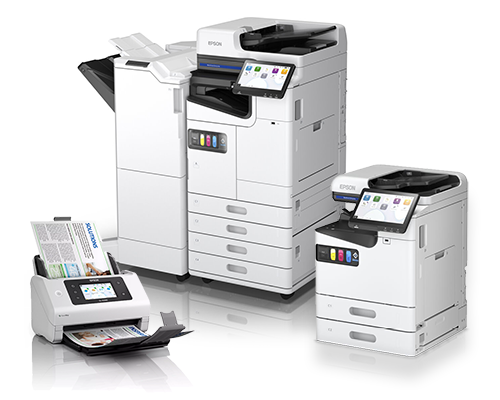
Barcode scanning: Capture and use a wide variety of barcodes, including 1D and 2D, to separate documents.
Patch code: Insert codes into the batch of files, allowing easy separation of the documents.
Pre-defined templates: Allow commonly used forms to be pre-registered in advance, so a stack of documents can be saved into designated folders
File size: Lets users set a maximum file size.
Manage
Send and share the data in the way that best suits your business. Scan to a standard destination such as email, local folder, or printer or choose from a wide range of Cloud service providers.
More and more businesses choose to keep their documents safe and accessible online. As a result, there’s a growing group of Cloud storage providers to choose from.
FDCP supports the established players, such as OneDrive, OneNote, SharePoint Online, Google Drive and Dropbox.
Make searching simple with rich index data files for each scanned document or page. Select from a wide range of available fields or pick up to 10 zones on a document for recognition.
REQUEST A CALL BACK
To discuss how the Epson Document Capture Suite could benefit your business, request a call back from one of our team.

XBM is Epson’s Number 1 UK reseller and an Epson Diamond Partner, one of only two in the UK, a prestigious status awarded by Epson based on a comprehensive set of criteria including our product focus, expertise, sales, and the high level of support we provide for our customers.